How I built it · Physical products
How I went from two KDP rejections to seven books live
The dropdown that ate two sessions, the question that found it, and the checks that got six more books through KDP and Lulu with no rejections.
By Molly Shelestak · 4 min read
The story
Two KDP rejections. Two lost sessions. Six wrong guesses, then two more. The bug was a dropdown.
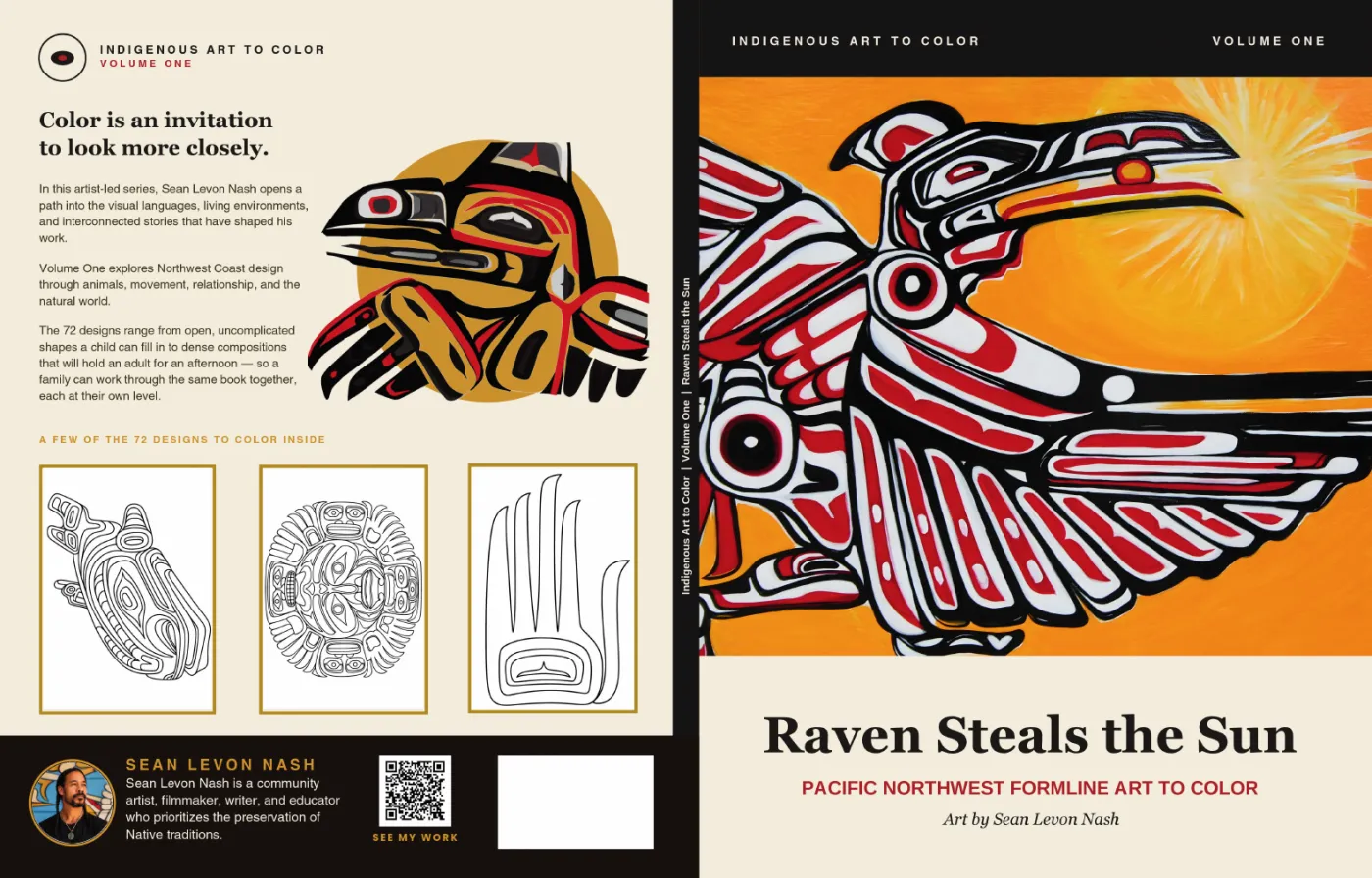
I was turning my friend Sean Levon Nash's paintings into coloring books and publishing the paperbacks through KDP. The first book got rejected at least twice. The previewer also flagged 20 interior pages as outside the margins, and when we measured them, nothing was wrong.
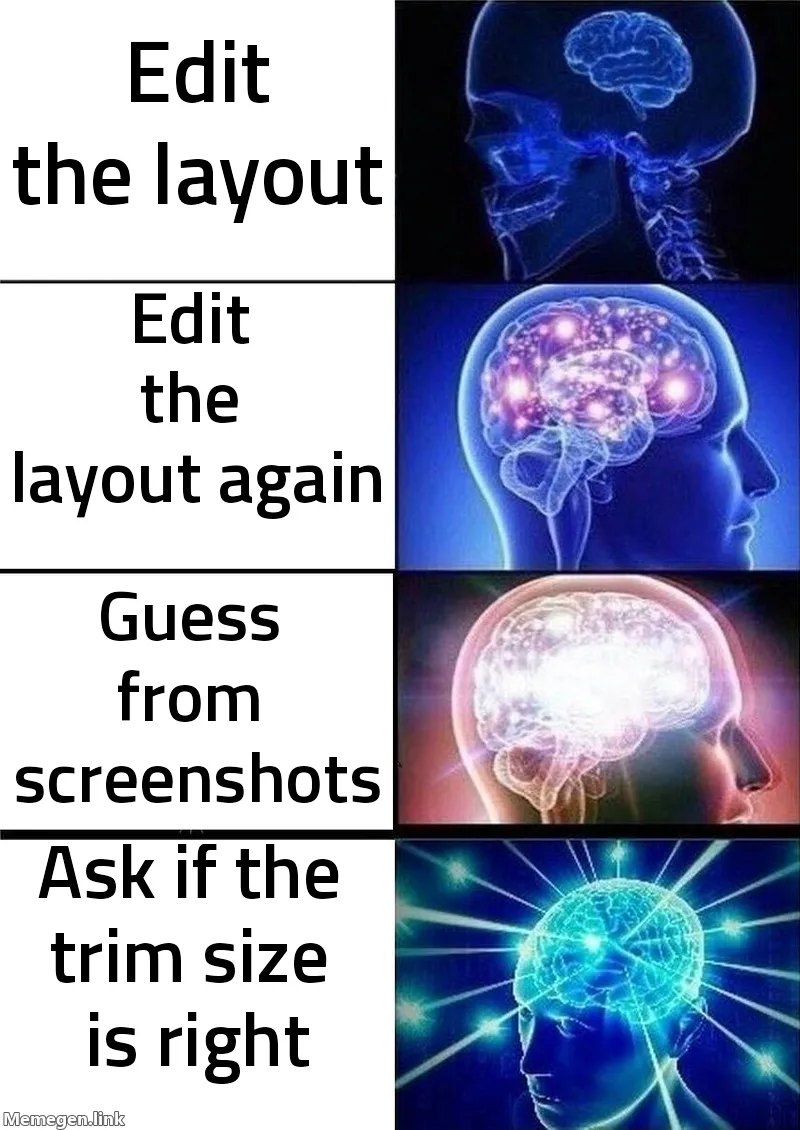
Claude diagnosed it from my screenshots and reached six wrong conclusions in a row, then two more. Two full sessions went to layout edits. Then I asked one question: is 8.5 x 11 the right trim size for this book? The dashboard was set to 8×10. KDP had been cropping 0.5 in off every edge of a file that was fine.
That day we turned the mess into a Claude skill: read the dashboard back before touching a layout, measure the PDF instead of a screenshot, and run a script on every cover before upload. Then six more books went through KDP and Lulu with no rejection. Each round still taught me something: a QR code pointing at a dead link, a canvas still carrying the last book's spine, an ISBN block Claude put in the wrong place.
Now the split is clean. I design in Canva, sign in, attach the files and make every publish call. Claude computes the spine, measures every file, runs the checks and fills the KDP and Lulu forms. All 7 books are live.
The moving parts
In the order things flow.
1
KDP dashboard
Trim size, page count, paper, bleed and ink. Read back before anything else.
2
Interior PDF
Every page the same trim, fonts embedded, page count final.
3
Cover geometry
Spine width from the page count and paper; cover width from the spine.
4
Design tool
The cover, designed with guides and exported as CMYK with crop marks off.
5
verify_kdp_cover.py
Measures the exported cover and fails on real problems.
6
KDP previewer
The last check. Read its literal error text.
Tools I used
- Amazon KDP · The dashboard where trim, paper, ink and bleed get set, and the previewer that has the final say
- Canva · Designs the cover, with guides kept in one group; Claude also edits it through the Canva API
- Claude Code · Runs the skill, measures the PDFs and explains every failure
- Python · verify_kdp_cover.py, built on pypdf and Pillow
- pdftoppm · Renders the cover so the script can measure real ink, not a screenshot
- Ghostscript · The one I stopped using for colour: it dulled my reds
Build your own
Lock the interior page count
Page count drives spine width, and spine width drives cover width. A two-page change moved one of my covers from 17.5833 to 17.5878 in. Don't start the cover until the count is final.
Set the dashboard, then read it back
Set trim, paper, ink and bleed in KDP, then check each against the interior file. KDP renders your cover against the trim size selected in the dashboard, not the one your PDF was built for.
Prompt for Claude
Here is my interior PDF. Read the trim size from the first page's mediabox, count the pages, and check that every page is the same size. Then list what I should see in the KDP dashboard for trim size, page count and bleed so I can compare them one by one.
Check the interior
Every page the same trim, fonts fully embedded or outlined, at least 24 pages, and an inside margin that fits the page count: 0.375 in up to 150 pages, 0.5 in for 151–300, 0.625 in for 301–500. A page-count change can quietly break the margin.
Compute the cover from the final count
Spine width is pages × a paper multiplier. White paper is 0.002252 in per page, which I confirmed against KDP: 150 pages gives 0.3378 in. The script also carries multipliers for other papers, but I haven't verified those. Check KDP's cover template generator before trusting them. Give Canva the canvas size in inches: a pixel width can't always be set exactly.
Design and export without the traps
Keep your guides in one group. Send the group to the front while you design and to the back before you export, instead of deleting them. Export as PDF Print with CMYK on and crop marks and bleed off. That setting adds about 0.2367 in to every edge, a second bleed on top of the one your canvas already has. If you reuse a design from another book, it still has that book's spine. Re-check the width.
Run the script
python verify_kdp_cover.py cover.pdf --pages 150 --trim 8.5x11 --paper white. Fix anything it fails. It takes a minute or two on a large cover, mostly decoding the image.
Prompt for Claude
Run verify_kdp_cover.py on cover.pdf with my page count, trim size and paper. For every FAIL, tell me what it measured, which KDP rule it breaks, and the smallest change in my design tool that fixes it.
Upload, then read the previewer
Upload both files and open the previewer. Make sure it's showing the file you just uploaded: a visible change in the newest version is the fastest tell. If it flags anything, copy the literal error text before you change a thing.
Where it bit me
The dropdown did it
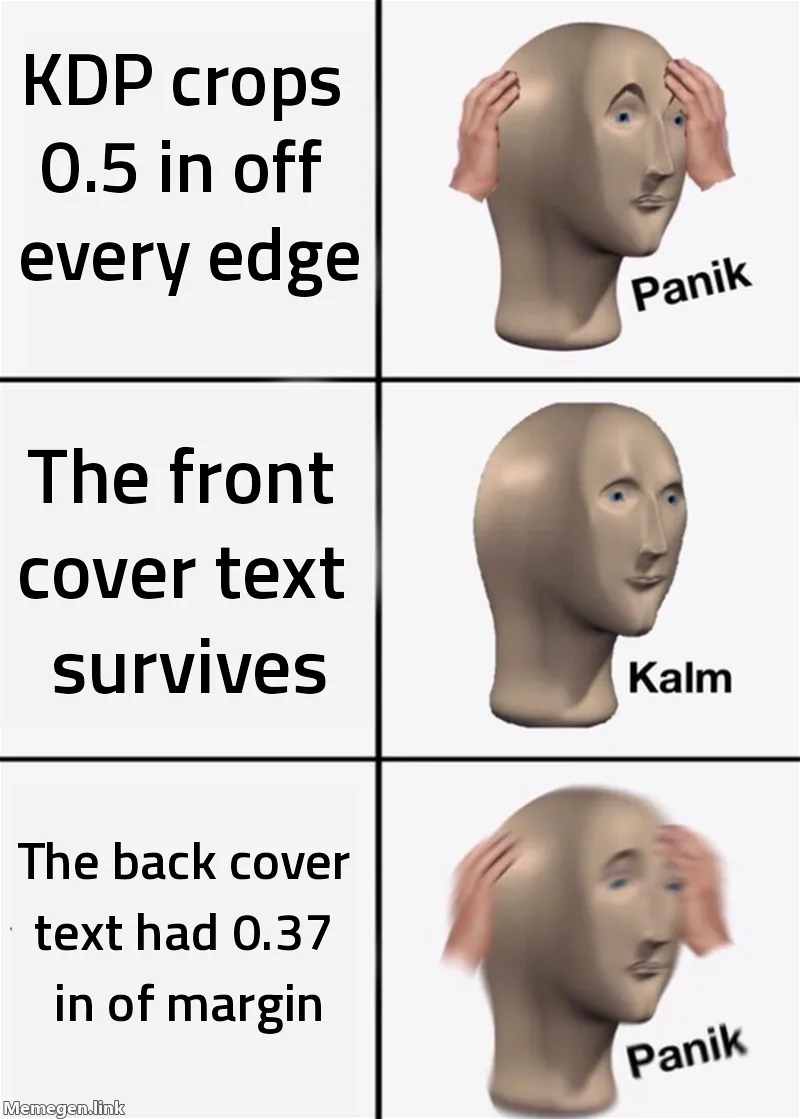
The crop math: lost per edge = (your cover width − KDP's expected cover width) / 2. Mine was 0.5 in. Front-cover text had 0.94 in of margin and survived; back-cover text had 0.37 in and didn't. The 20 flagged interior pages were the same mismatch, which is why nothing was wrong when I checked locally.Read the cut like a clue
Which edge gets cut tells you which setting is wrong. Page count only changes the spine, so a wrong count shifts things sideways. Clipping at the top or bottom means the trim height is wrong: that's the trim-size dropdown, not the page count.Screenshots lie
Diagnosing from screenshots gave six wrong conclusions in a row, then two more the next session. A screenshot has unknown crop and zoom, and a title that looks sliced is usually the browser edge. Measure the PDF itself.Your ruler is measuring itself
Every pixel measurement I wrote was wrong on its first run, and each one looked plausible. An early version of my script failed a known-good cover at 0.010 in when the nearest text was 0.938 in away: it was measuring artwork, which is supposed to touch the trim. If a number lands on a boundary, a round number or the edge of your scan window, it's measuring your window.Ghostscript ate my reds
Ghostscript's RGB to CMYK conversion visibly dulled saturated reds. Export CMYK from the design tool instead, and after any PDF post-processing, check that the image stream's hash didn't change.The barcode box, twice
KDP prints its own barcode, so leave a 2.0 × 1.2 in area clear in the back cover's bottom-right corner, 0.25 in from the bottom and from the spine-side trim. On book three, Claude put the white block in the wrong place and made it 1.98 × 1.19 in. I caught it after submitting. Measure it after you place it.Bleed won't save a wrong spine
One book's canvas was 0.185 in too wide because it still had the previous book's spine. I asked why the bleed couldn't just absorb it. Bleed absorbs error at the outer edges, not at the spine fold, so the fix goes into the spine.

Steal this
verify_kdp_cover.py
script · python
#!/usr/bin/env python3
"""Measure a KDP full-wrap cover PDF against KDP's print requirements.

Reports facts, not opinions: page geometry, image colour space and true DPI
(recursing into Form XObjects), leftover design guides, bleed coverage, and the
distance from every piece of ink to the trim line.

Usage:
    python verify_kdp_cover.py cover.pdf --pages 150
    python verify_kdp_cover.py cover.pdf --pages 150 --trim 8.5x11 --paper white

Requires: pypdf, Pillow. Raster checks additionally need `pdftoppm` (poppler);
they are skipped with a notice if it is absent.
"""
from __future__ import annotations

import argparse
import shutil
import subprocess
import sys
import tempfile
from dataclasses import dataclass
from pathlib import Path

# KDP constants. Verified against KDP's published paperback specification.
SPINE_PER_PAGE = {
    "white": 0.002252,
    "cream": 0.0025,
    "groundwood": 0.00235,
    "color": 0.002347,
}
BLEED = 0.125           # per outer edge, included in the cover sheet size
SAFE_INSET = 0.25       # text/important art must stay this far inside trim
SPINE_TEXT_MIN_PAGES = 79
SPINE_TEXT_INSET = 0.0625   # spine text must stay this far inside each fold
BARCODE_W, BARCODE_H = 2.0, 1.2
BARCODE_INSET = 0.25    # from the back cover's bottom and right trim
MIN_DPI = 300
RASTER_DPI = 96         # 1 px == 1/96 in, keeps the arithmetic readable

# Neon colours conventionally used for on-canvas KDP guides. KDP bans these.
GUIDE_COLOURS = {
    "cyan (trim)": (0x00, 0xE5, 0xFF),
    "magenta (safe)": (0xFF, 0x00, 0xA8),
    "yellow (spine fold)": (0xFF, 0xD4, 0x00),
    "green (spine safe)": (0x00, 0xFF, 0x66),
    "red (barcode)": (0xFF, 0x00, 0x00),
}


@dataclass(frozen=True)
class Geometry:
    """Derived KDP cover geometry, all values in inches."""

    pages: int
    trim_w: float
    trim_h: float
    paper: str
    spine: float
    cover_w: float
    cover_h: float
    fold_left: float
    fold_right: float


def compute_geometry(pages: int, trim_w: float, trim_h: float, paper: str) -> Geometry:
    """Derive full-wrap cover dimensions from trim size and page count."""
    if paper not in SPINE_PER_PAGE:
        raise ValueError(f"unknown paper {paper!r}; expected one of {sorted(SPINE_PER_PAGE)}")
    spine = pages * SPINE_PER_PAGE[paper]
    cover_w = 2 * trim_w + spine + 2 * BLEED
    cover_h = trim_h + 2 * BLEED
    fold_left = BLEED + trim_w
    return Geometry(
        pages=pages, trim_w=trim_w, trim_h=trim_h, paper=paper, spine=spine,
        cover_w=cover_w, cover_h=cover_h,
        fold_left=fold_left, fold_right=fold_left + spine,
    )


class Report:
    """Collects PASS/FAIL/INFO lines and tracks whether anything failed."""

    def __init__(self) -> None:
        self.failed = False
        self.lines: list[str] = []

    def ok(self, label: str, detail: str) -> None:
        self.lines.append(f"  [PASS] {label}: {detail}")

    def bad(self, label: str, detail: str) -> None:
        self.failed = True
        self.lines.append(f"  [FAIL] {label}: {detail}")

    def info(self, label: str, detail: str) -> None:
        self.lines.append(f"  [INFO] {label}: {detail}")

    def section(self, title: str) -> None:
        self.lines.append(f"\n{title}")

    def render(self) -> str:
        return "\n".join(self.lines)


def iter_images(resources, seen=None):
    """Yield (name, image_object), descending into Form XObjects.

    Canva and most design tools nest every placed image inside a Form XObject.
    A DPI check that does not recurse sees no images at all and silently
    falls back to nonsense.
    """
    seen = set() if seen is None else seen
    xobjects = (resources or {}).get("/XObject")
    if not xobjects:
        return
    for name, ref in xobjects.items():
        try:
            obj = ref.get_object()
        except Exception:
            continue
        key = id(obj)
        if key in seen:
            continue
        seen.add(key)
        subtype = obj.get("/Subtype")
        if subtype == "/Image":
            yield str(name), obj
        elif subtype == "/Form":
            yield from iter_images(obj.get("/Resources"), seen)


def check_geometry(page, geo: Geometry, rep: Report) -> None:
    """Page size, rotation, and stale box entries."""
    box = page.mediabox
    w, h = float(box.width) / 72, float(box.height) / 72
    tol = 0.001
    detail = f"{w:.4f} x {h:.4f} in (need {geo.cover_w:.4f} x {geo.cover_h:.4f})"
    if abs(w - geo.cover_w) <= tol and abs(h - geo.cover_h) <= tol:
        rep.ok("page size", detail)
    else:
        rep.bad("page size", detail)
        extra_w, extra_h = w - geo.cover_w, h - geo.cover_h
        if extra_w > 0.05 and abs(extra_w - extra_h) < 0.02:
            rep.info("page size", f"+{extra_w / 2:.4f} in on every edge — "
                                  "looks like 'crop marks and bleed' was left on at export")

    rotate = page.get("/Rotate")
    (rep.ok if not rotate else rep.bad)("rotation", f"/Rotate = {rotate!r}")


def check_content(page, rep: Report) -> None:
    """Fonts and placed-image colour space / resolution."""
    resources = page.get("/Resources") or {}
    fonts = list((resources.get("/Font") or {}).keys())
    if fonts:
        rep.info("fonts", f"{len(fonts)} present — each must be fully embedded")
    else:
        rep.ok("fonts", "none — text is outlined to vector paths")

    page_w_in = float(page.mediabox.width) / 72
    images = list(iter_images(resources))
    if not images:
        rep.info("images", "none found")
        return
    for name, img in images:
        width = int(img.get("/Width") or 0)
        cs = img.get("/ColorSpace")
        cs = cs if isinstance(cs, str) else (cs[0] if isinstance(cs, list) else str(cs))
        dpi = width / page_w_in if page_w_in else 0
        label = f"image {name}"
        note = f"{width}x{img.get('/Height')} {cs} ~{dpi:.0f} DPI across the full wrap"
        if dpi + 0.5 < MIN_DPI:
            rep.bad(label, note)
        else:
            rep.ok(label, note)
        if cs and "RGB" in str(cs):
            rep.info(label, "RGB — KDP prefers CMYK; export CMYK from the design tool, "
                            "never convert with ghostscript (it crushes saturated reds)")


def rasterize(pdf: Path, out_dir: Path):
    """Render page 1 at RASTER_DPI. Returns a PIL image, or None if unavailable."""
    if not shutil.which("pdftoppm"):
        return None
    stem = out_dir / "page"
    subprocess.run(
        ["pdftoppm", "-png", "-r", str(RASTER_DPI), "-singlefile", str(pdf), str(stem)],
        check=True, capture_output=True,
    )
    from PIL import Image
    return Image.open(f"{stem}.png").convert("RGB")


def check_guides(arr, rep: Report) -> None:
    """Any leftover neon guide shapes would print as bright lines."""
    import numpy as np

    present = {}
    for name, g in GUIDE_COLOURS.items():
        dist = np.abs(arr - np.array(g, dtype=np.int16)).sum(axis=2)
        count = int((dist < 60).sum())
        if count > 80:
            present[name] = count
    if present:
        rep.bad("design guides", f"leftover guide pixels {present} — delete them and re-export")
    else:
        rep.ok("design guides", "none detected")


def check_bleed(arr, rep: Report) -> None:
    """White along an outer edge means the art stops short of the bleed."""
    import numpy as np

    white = (arr > 248).all(axis=2)
    edges = {
        "left": white[:, 0], "right": white[:, -1],
        "top": white[0, :], "bottom": white[-1, :],
    }
    worst = [f"{n} {int(e.mean() * 100)}% white" for n, e in edges.items() if e.mean() > 0.02]
    if worst:
        rep.bad("bleed", f"{', '.join(worst)} — art does not reach the edge")
    else:
        rep.ok("bleed", "art covers all four outer edges")


def check_ink_margins(arr, geo: Geometry, rep: Report) -> None:
    """Distance from the trim line to the nearest non-background ink, per edge.

    Background is sampled from the page's own corners, so this works whether
    the cover sits on cream, white, or a dark field.

    A foreground run must be at least MIN_RUN px thick to count. Without that,
    a single antialiased pixel at a panel boundary reads as "ink at the trim
    line" and the whole measurement is wrong -- the exact false positive that
    makes eyeballed diagnoses unreliable.
    """
    import numpy as np

    h, w, _ = arr.shape
    d = int(round(BLEED * RASTER_DPI))
    corners = [arr[1, 1], arr[1, w - 2], arr[h - 2, 1], arr[h - 2, w - 2]]
    bg = np.zeros((h, w), dtype=bool)
    for c in corners:
        bg |= np.abs(arr - c.astype(np.int16)).sum(axis=2) < 45
    fg = ~bg
    fg[:d, :] = fg[-d:, :] = False           # ignore the bleed band itself
    fg[:, :d] = fg[:, -d:] = False

    MIN_RUN = 3
    col_counts, row_counts = fg.sum(axis=0), fg.sum(axis=1)
    cols = np.flatnonzero(col_counts >= MIN_RUN)
    rows = np.flatnonzero(row_counts >= MIN_RUN)
    if cols.size == 0 or rows.size == 0:
        rep.info("ink margins", "no distinct foreground found; inspect visually")
        return

    found = {
        "left": (cols[0] - d) / RASTER_DPI,
        "right": ((w - d) - cols[-1]) / RASTER_DPI,
        "top": (rows[0] - d) / RASTER_DPI,
        "bottom": ((h - d) - rows[-1]) / RASTER_DPI,
    }
    # Deliberately INFO, never FAIL. This finds the nearest non-background pixel,
    # which on a full-bleed cover is the artwork -- and artwork reaching the trim
    # is correct. Only a human (or a text-aware check) can say whether the thing
    # near the trim is art that should bleed or type that must stay inside.
    for edge, inches in sorted(found.items(), key=lambda kv: kv[1]):
        rep.info(f"nearest content {edge}", f"{inches:.3f} in inside trim")
    rep.info(
        "reading these",
        f"artwork at ~0.000 is correct on a bleed cover; confirm no TEXT is "
        f"closer than {SAFE_INSET} in by eye or by measuring the text colour only",
    )


def main() -> int:
    ap = argparse.ArgumentParser(description="Verify a KDP full-wrap cover PDF.")
    ap.add_argument("pdf", type=Path)
    ap.add_argument("--pages", type=int, required=True, help="interior page count")
    ap.add_argument("--trim", default="8.5x11", help="trim size, e.g. 8.5x11 or 6x9")
    ap.add_argument("--paper", default="white", choices=sorted(SPINE_PER_PAGE))
    args = ap.parse_args()

    trim_w, trim_h = (float(v) for v in args.trim.lower().split("x"))
    geo = compute_geometry(args.pages, trim_w, trim_h, args.paper)

    print(f"KDP cover check — {args.pdf.name}")
    print(f"  {args.pages} pp, {trim_w}x{trim_h} in, {args.paper} paper")
    print(f"  spine {geo.spine:.4f} in; cover sheet {geo.cover_w:.4f} x {geo.cover_h:.4f} in")
    print(f"  spine folds at x = {geo.fold_left:.4f} and {geo.fold_right:.4f} in")
    if args.pages < SPINE_TEXT_MIN_PAGES:
        print(f"  NOTE: under {SPINE_TEXT_MIN_PAGES} pp — KDP does not allow spine text")

    from pypdf import PdfReader
    reader = PdfReader(str(args.pdf))
    rep = Report()

    rep.section("Structure")
    if len(reader.pages) != 1:
        rep.bad("page count", f"{len(reader.pages)} pages — a cover must be exactly 1")
    else:
        rep.ok("page count", "1")
    page = reader.pages[0]
    check_geometry(page, geo, rep)
    check_content(page, rep)

    rep.section("Rendered ink")
    with tempfile.TemporaryDirectory() as td:
        img = rasterize(args.pdf, Path(td))
        if img is None:
            rep.info("raster checks", "skipped — pdftoppm (poppler) not on PATH")
        else:
            import numpy as np
            arr = np.asarray(img).astype(np.int16)
            check_guides(arr, rep)
            check_bleed(arr, rep)
            check_ink_margins(arr, geo, rep)

    print(rep.render())
    print("\n" + ("RESULT: problems found" if rep.failed else "RESULT: all checks passed"))
    return 1 if rep.failed else 0


if __name__ == "__main__":
    sys.exit(main())
Needs Python 3 with pypdf and Pillow (pip install pypdf pillow). The raster checks also need pdftoppm from poppler; without it they're skipped with a notice.
Who did what
Claude
- Computes the spine from the page count
- Measures every PDF and runs the cover and interior checks
- Fills the KDP and Lulu forms in the browser
- Edits cover elements through the Canva API
Me
- Asked the trim-size question that found the dropdown
- Designs the covers in Canva and exports them
- Signs in, attaches the files and makes every publish call
See the books
All seven of Sean Levon Nash's coloring books are on Amazon, and together on his book page.
 Raven Steals the SunPacific Northwest formline, volume oneSee it on Amazon →
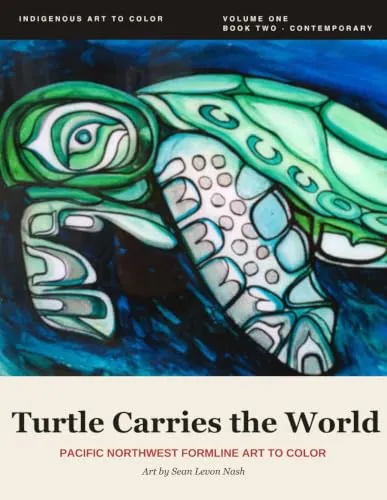 Turtle Carries the WorldPacific Northwest formlineSee it on Amazon →
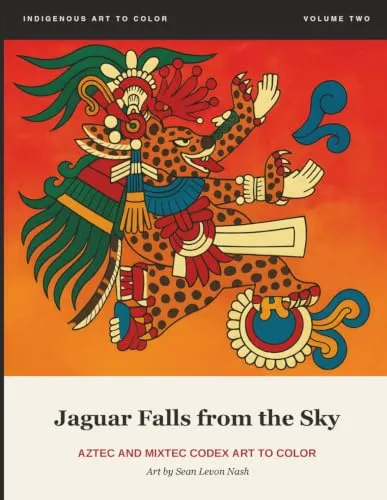 Jaguar Falls from the SkyAztec and Mixtec codex artSee it on Amazon →
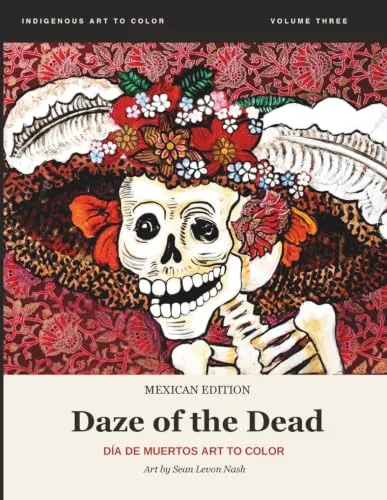 Daze of the DeadDía de MuertosSee it on Amazon →
 Home of the GraveDía de MuertosSee it on Amazon →
 The Cold MastersDía de MuertosSee it on Amazon →
 Land of the Rising DeadDía de MuertosSee it on Amazon →
- All the books in one placeSean Levon Nash's book pageSee it →
Next: How I turned Sean Levon Nash's paintings into seven coloring books